Why Choosing the Right Website Builder Matters
94% of first impressions are design-related. That is a fancy way of saying: your website is meeting people before you do. Choosing a website builder is not just a “what’s easiest” decision. It is a business decision that shapes visibility, credibility, growth, and long-term costs.
A website builder is like renting a furnished apartment: you can move in fast, but your ability to knock down walls later is… limited. Pick the wrong platform and your site may look fine at launch, then become the thing holding you back when you need better SEO, more features, or granular control.
Small businesses often choose based on price or ease, without considering SEO limitations, scalability, ownership, or long-term flexibility. The result is a site that works early on but becomes restrictive as business increases. That’s why our team helps small businesses choose platforms that support growth.
What Is a Website Builder?
A small business website builder is a platform that allows users to create and manage a website without building everything from scratch. Think of it as a “website kit” that bundles the core pieces so you can publish without hiring a full dev team on day one.
And you are not alone in using one. About 71.4% of websites use a CMS-style platform. In other words, most of the web is built on something that helps people manage content without hand-coding every page.
Website builders typically:
- Pre-built templates: Ready-made layouts so you start with something that looks intentional, not like a 2007 forum page.
- Drag-and-drop editing: Visual tools for moving sections around without needing to speak fluent HTML.
- Hosting and security bundled together: The platform often handles where the site “lives” online and takes care of basic updates and protections.
Here’s the catch: some builders prioritize simplicity (think DIY options like Squarespace), while others prioritize flexibility and extensibility. That difference matters a lot for small businesses planning to grow. A platform that feels wonderfully “easy” today can become frustrating tomorrow when you want upgraded SEO control, faster performance, or more complex functionality, but struggle to make changes to your theme.
What Is the Best Website Builder for Small Business?
There is no single “best” builder for every business, but there is a best builder for businesses that care about SEO, flexibility, and long-term ownership. More than 60% of CMS-powered sites use WordPress.
So, if you are asking “what is the best website builder for small business?” here is the high-level answer:
For most small businesses planning to grow, WordPress consistently outperforms closed builders like Wix and Squarespace in terms of SEO control, scalability, and cost efficiency. WordPress gives you deeper access to your site’s structure, content, and technical levers, which is exactly what you want when marketing stops being “nice to have” and becomes “please send leads this week.”
That’s why we specialize in custom WordPress development built for SEO, performance, and long-term growth.
3 Popular Website Builders Compared (Small Business Focus)
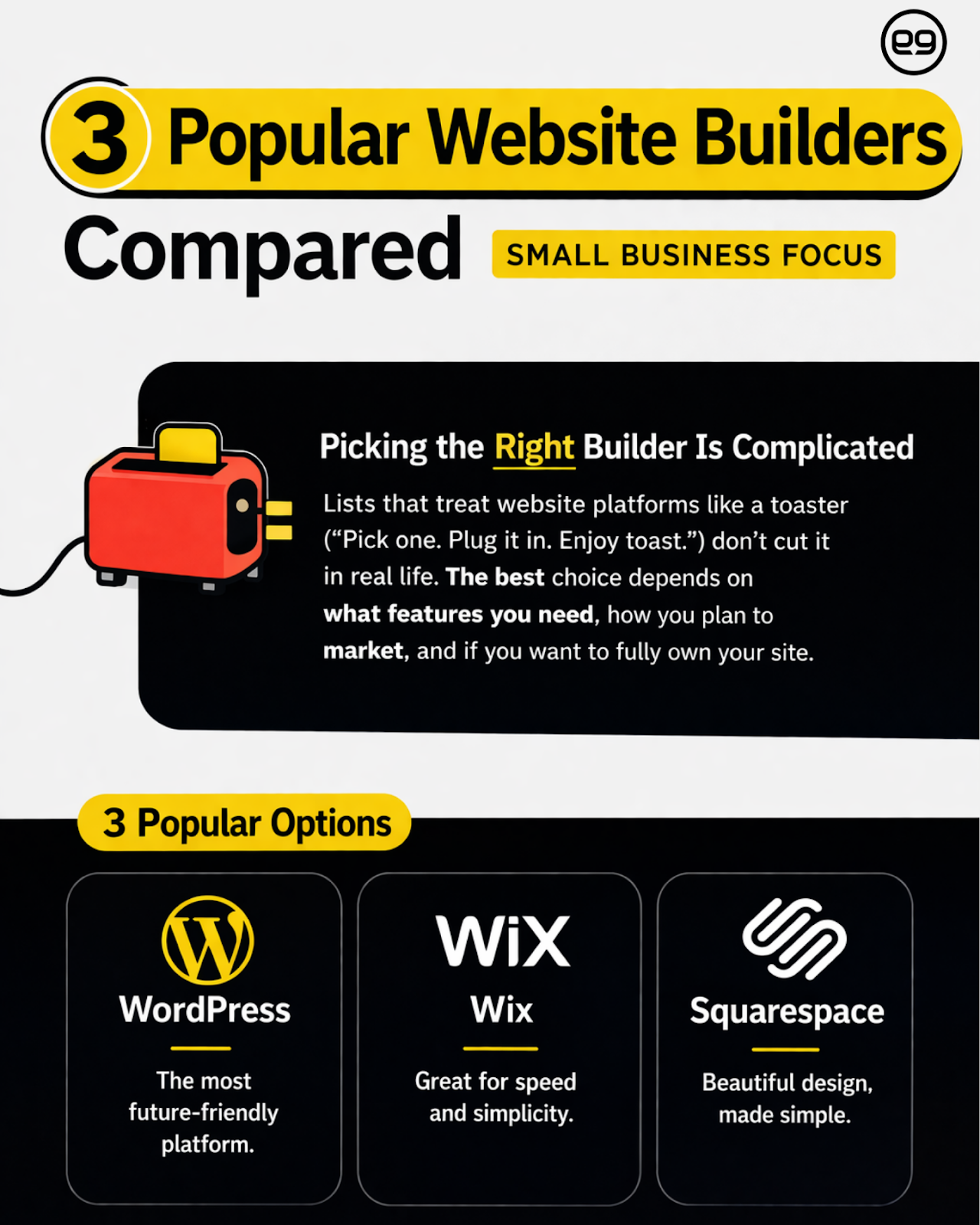
If you have ever searched for a small business website builder, you already know the internet is full of “best of” lists that treat a website like a toaster. Pick one. Plug it in. Enjoy toast.
Real life is more complex. The right platform depends on how you plan to market, what features you will need later, and whether you want to truly own your site.
Let’s start with the big one.
1. WordPress
If your business website is meant to grow, WordPress is often the most future-friendly option. WordPress powers 42.8% of all websites.
Strengths
- Full ownership and control: You control hosting, files, database, and code. That reduces lock-in and keeps your options open.
- Best-in-class SEO flexibility: Cleaner control over URLs, metadata, site architecture, and performance improvements.
- Thousands of plugins and integrations: Easy connections to email marketing, CRMs, booking tools, eCommerce, analytics, and more.
- Scales from brochure sites to enterprise platforms: Start simple, then add content, landing pages, and advanced features without rebuilding from scratch.
Limitations (because nothing is perfect, including us on Mondays)
- More decisions upfront: hosting, theme approach, plugins, maintenance plan.
- Quality varies widely: bad themes and plugin overload can slow a site down fast.
- Requires ongoing upkeep: updates, backups, and security hardening are not optional if you care about stability.
That is why implementation matters. e9 builds custom WordPress sites that avoid bloated themes and focus on performance, SEO, and maintainability.
“WordPress has an ecosystem of millions of great designers and developers… It has thousands upon thousands of plugins at low cost or no cost.” — Conrad Strabone, Managing Partner & President | e9digital
Real-World Growth Scenario
Let’s say you launch as a local service business with a clean 5-page site: Home, Services, About, Reviews, Contact. Six months later, marketing is working and you want to scale:
- Add location pages for nearby cities
- Publish weekly blog content targeting service keywords
- Create landing pages for Google Ads
- Integrate a CRM and form routing by service type
- Improve speed and Core Web Vitals without redesigning everything
On WordPress, that growth path is straightforward. You can expand the site structure, add content types, integrate tools, and improve technical SEO while keeping the same core foundation. That is the superpower of a WordPress website builder: it is not just a launch tool, it is a platform you can keep building on.
2. Wix
If WordPress is a full workshop, Wix is the pre-assembled desk from a big-box store: it looks good out of the box, it comes with the instructions, and you can be “done” faster. For a lot of small businesses, that speed is the entire appeal of a small business website builder. And honestly, sometimes you just need something live so you can stop explaining your business using a logo in an email signature.
However, what you gain in speed, you often lose in scale later. It can be difficult to make changes to grow your business through your website.
Wix is also widely used. W3Techs reports that Wix is used by 4.2% of all websites.
Strengths
- Easy setup: Great for quick launches, especially if your goal is “have a site by Friday, please.”
- All-in-one hosting: Wix bundles hosting and security basics, so there are fewer moving parts to manage.
Limitations
- Limited SEO customization: You can do some SEO work, but deeper technical control can be constrained compared to open platforms.
- Platform lock-in: Because it’s a closed templated ecosystem, moving away later can be difficult. That’s why we recommend using an affordable design agency like e9digital.
- Scaling challenges: As needs grow (advanced integrations, more complex site architecture, performance tuning), you can hit ceilings.
Real-World Growth Scenario
You launch a Wix site for a service business. It’s clean, it’s fast to publish, and it gets the job done.
Then the business starts growing and marketing gets more serious:
- You want multiple location pages with consistent structure and internal linking
- You want more granular control over technical SEO and performance
- You need deeper integrations (CRM workflows, advanced tracking, custom forms with routing)
- You want a content strategy that scales beyond a handful of pages
This is where Wix can start to feel like a one-lane road during rush hour. You can still move forward, but passing gets tricky. If growth is the plan, the decision is less “Can Wix do it?” and more “How many workarounds will it take, and what does that cost in time and momentum?”
3. Squarespace
Squarespace is the friend who shows up perfectly dressed to a casual dinner. The templates are polished, the typography is usually tasteful, and it’s hard to make something that looks completely chaotic (which, to be fair, is a genuine feature). For design-forward businesses, it can be a solid website builder when you want a beautiful online presence without a long build cycle.
Strengths
- Polished visuals: Great if brand presentation is your top priority and you want a clean aesthetic quickly.
- Simple editing: Content updates are generally straightforward for non-technical teams.
Limitations
- Limited backend customization: If you need custom functionality, you may find fewer options and less flexibility than open platforms.
- Less control over technical SEO: You can handle basics like Wix, but deeper technical tuning can be more limited than a platform like WordPress.
Real-World Growth Scenario
A boutique service provider launches on Squarespace with a strong-looking site. Leads trickle in, referrals pick up, and then the business decides to scale content and campaigns:
- You want to publish lots of SEO-driven content with more control over structure
- You want landing pages tailored to different services, audiences, and funnel stages
- You want deeper technical optimization for speed and search visibility
- You want custom features or integrations beyond the platform’s comfort zone
Squarespace can still work, but it often becomes a “design-first, marketing-second” setup unless you’re willing to accept limitations or invest in makeshift solutions.
TL;DR: Website builders can launch a site. Developers can build an asset. And if your website is a key part of how people find you, trust you, and decide to contact you, building an asset tends to win. e9digital bridges the gap by combining builder efficiency with custom development where it matters most.
“Squarespace, Wix, GoDaddy, they all have their little AI that you could build a website on. But you don’t know what you don’t know.” — Conrad Strabone, Managing Partner & President | e9digital
What is a Website Builder vs Web Developer?
Website builders promise independence. Developers provide leverage. And leverage matters because your website is still doing heavy lifting in the buying process. For example, the majority of B2B buyers (97%) check vendor websites before engaging.
So the real question isn’t “Can I build it myself?” It’s “What happens when my website becomes a growth engine, not just an online brochure?” The real question isn’t whether you can build a website yourself, but whether it can consistently generate leads and scale with your business once growth becomes the goal.
Here’s the practical difference:
- Builders are ideal for simple, static needs: If you need a clean site with basic pages and minimal complexity, builders can be perfectly fine.
- Developers unlock customization and scalability: When your site needs to load faster, rank higher, convert better, and integrate with real business systems, expertise pays off.
And yes, this is where the “website builder vs web developer” debate gets real: it’s not about capability, it’s about outcomes.
Website Builder vs Web Developer: The Leverage Argument
If you’ve ever tried to DIY your own website at 10:47 PM while also answering client emails and questioning your life choices, you already understand leverage. A good developer partnership isn’t about taking control away from you. It’s about giving you more control over results.
| Strategic guidance vs DIY guesswork: A builder gives you tools, but a developer helps you choose the right ones for your goals and audience from the start. | Performance optimization: Developers can optimize hosting, code, images, and structure to keep your site fast as it grows. | Conversion optimization: Developers help shape pages, CTAs, forms, and tracking so your site turns visitors into leads. |
| Security and risk management: Developers put updates, backups, monitoring, and safeguards in place to prevent nasty surprises. | Opportunity cost of your time: DIY is only “free” until it eats your time and forces a rebuild later. | Analytics and measurement: Developers set up accurate tracking so you know what’s working and what’s wasting money. |
What is a Website Builder vs CMS?
If website platforms were restaurants, a website builder is the prix fixe menu: fewer choices, faster decisions, less chance you accidentally order anchovies in chocolate sauce. A CMS (content management system) is the full menu: more control, more options, and yes, more responsibility. That distinction matters when your site stops being “a thing you need” and starts being “a tool you rely on.”
All website builders are CMSs in the broad sense (they help you manage content), but not all CMSs are website builders. Builders simplify creation but often limit control. CMS platforms like WordPress give you deeper access and extensibility, which becomes increasingly valuable as your marketing and website needs grow.
What Does a CMS Have That a Website Builder Doesn’t?
A CMS is built for managing and scaling content, not just arranging sections on a page. That’s why so many sites lean on CMS platforms.
If you are choosing between a DIY platform and something more flexible, here are the “CMS advantages” that tend to matter most for growing businesses, especially when you move beyond the basics of a business website builder:
- Deeper control over site structure: A CMS gives you more freedom to organize pages and content in SEO-friendly ways that make navigation easier.
- Extensibility and customization: Open CMS platforms let you add custom features, integrations, and content types without being boxed in by the platform.
- Portability and ownership: With an open CMS, it’s usually easier to switch hosts or vendors and take your site with you.
- Advanced content workflows: A CMS typically supports stronger drafts, approvals, permissions, and revisions when multiple people manage content.
SEO & Website Builders: What Small Businesses Miss
SEO limitations often do not show up until after launch, which is exactly when you discover your website is basically a very nice digital brochure sitting in the wilderness. And since 53% of all website traffic comes from organic search (per BrightEdge’s channel research), SEO needs to be baked in from the beginning of the website design process.
This is where a website builder can feel deceptively “good enough” at first. You publish pages, write some headlines, and call it a day. Then you try to compete for meaningful keywords and realize the platform is not giving you the control you assumed it would.
Here are the SEO fundamentals many small businesses underestimate early on that could cause issues:
- URL structure control: Clean, intentional URLs support both search engines and humans. Limited control can lead to awkward URL patterns that are harder to optimize.
- Metadata access: Titles and meta descriptions shape how your pages appear in search results. Easy access is great. Full control is better.
- Page speed optimization: Performance affects user experience and can influence search visibility. A platform that makes speed improvements difficult can create a long-term ceiling.
- Schema and structured data: Structured data helps search engines understand your content and can enable richer search results. You may be left out in the top three of Google search if you don’t have this (and those receive 68.7% of all clicks).
We handle all of this, building sites where SEO is baked into the foundation, not added later. That means your site architecture, page templates, and performance are designed to support growth from day one.
What Is the Best Free Website Builder for Small Business?
Free website builders are tempting for the same reason free samples are tempting: they feel like a risk-free decision. The reality is that “free” is often just the intro offer. With websites, you usually get what you pay for, and free builders are best for testing ideas, not growing businesses.
One practical issue is speed and performance. Slow load times can cost you visitors because people will leave and go elsewhere. If your site is your sales rep, a slow site is your sales rep showing up late and out of breath.
So if you are considering a small business website builder that’s free, here is the reality check many businesses run into:
- Ads on your site: “Free” often includes platform branding or ads, which can undercut credibility.
- Limited customization: Layout, features, and design options may be restricted until you pay.
- Weak SEO control: The basics may be available, but deeper optimization often requires an upgrade.
- Upgrade pressure: As soon as you want a custom domain, better features, or more flexibility, you are pushed into higher tiers.
Free can be useful for validation. It is rarely a great long-term foundation.
The Total Cost of Website Ownership
Most articles compare monthly pricing like it’s a phone plan. That’s surface-level. The real cost of your website is the total cost of ownership over the next 2 to 5 years, including what it costs you in time, rebuilds, and missed opportunities.
If you are weighing platforms, here are the cost categories that usually matter more than the sticker price, especially when you are deciding between a closed builder and something like a WordPress website builder approach:
- Subscription creep: You start on a basic plan, then upgrade for a domain, then upgrade for features, then upgrade because you blinked.
- Plugin and app costs: Many platforms charge extra for integrations and add-ons. Those costs stack quickly once marketing tools enter the picture.
- Rebuild costs: The most expensive website is the one you build twice. If the platform can’t grow with you, the “cheap” option turns into a rebuild.
- SEO opportunity cost: If the platform limits SEO and your traffic stalls, you pay in leads you never got and revenue you never saw.
- Developer dependency vs flexibility: Some platforms make you dependent on their ecosystem. Others let you choose who supports you and how.
Small businesses care about money for the very logical reason that money keeps the lights on. Viewing your platform decision as a long-term financial decision, not a monthly subscription choice, tends to lead to better outcomes and fewer “why did we do this to ourselves” moments later.
e9digital helps businesses evaluate platforms based on growth goals, build SEO-first architecture, and choose foundations that keep options open as marketing and functionality expand.
Is WordPress a Good Website Builder?
This is the final report card. Out of all of the tools, WordPress is one of the most powerful website platforms available, when it’s implemented correctly. The trick is that WordPress can behave like a sleek sports car or a shopping cart with a wobbly wheel, depending on how it’s built and maintained. If your goal is long-term growth, marketing flexibility, and true ownership, a WordPress website builder approach can be a very smart move.
WordPress succeeds when:
- Built with performance in mind: Fast sites keep visitors around and reduce the odds they abandon your page for a competitor who loads before your header finishes stretching.
- Custom themes replace bloated templates: Many off-the-shelf themes come with everything except the kitchen sink. And occasionally, the kitchen sink.
- Security and updates are managed: Like a storefront lock, upkeep is not glamorous, but it is wildly important.
It also helps that the core WordPress software is open-source and licensed under the GPL, which is a big part of why you can use, modify, and extend it freely. And when businesses want to expand beyond a basic website, WordPress tends to keep doors open instead of closing them.
The Difference Between WordPress.org and WordPress.com
Before you fall in love with “WordPress,” it helps to know which WordPress you are actually talking about, because this is where a lot of small business website decisions go sideways. WordPress.org and WordPress.com share a name and a lot of DNA, but they are built for different levels of control, flexibility, and “how much do you want to tinker under the hood?”
WordPress.org is the free, open-source WordPress software you install on your own hosting, which means you own the site files and database, choose your host, and have full access to themes, plugins, and custom development.
WordPress.com is a hosted service that runs WordPress for you, bundling hosting, maintenance, and a more guided experience into plan-based tiers, which can be convenient but may limit flexibility depending on the plan.
In plain English: .org is “you own the house,” while .com is “you’re renting an apartment with rules about what you can remodel.”
How e9digital Helps Small Businesses Choose the Right Platform
Choosing a platform seems easy on the surface. But a lot of “quick build” decisions turn into expensive rebuilds later, usually at the exact moment you finally have marketing momentum.
That’s where e9digital can help. Our approach is practical. We look at your goals, your marketing plan, and what you will realistically need as you scale. Then we recommend a platform and build path that keeps options open.
Here’s what we deliver:
- Platform evaluation based on goals: We match the platform to how you plan to get traffic, convert leads, and grow features over time. Not just what feels easiest in a demo.
- SEO-first architecture: Site structure, templates, and performance decisions are made with search visibility in mind, so SEO is part of the build, not a patch afterward.
- Custom WordPress development: When WordPress is the right fit, we build it in a way that prioritizes maintainability, speed, and clean foundations over theme bloat.
- Ongoing support and optimization: Websites are living systems. We help keep them updated, secure, and improving as your business evolves.
“If you own a business or you have investments, you need expert help. And the expert help doesn’t cost you money. It makes you money and it saves you money because the experts know how to use the power tools.” — Conrad Strabone, Managing Partner & President | e9digital
The Best Website Builder Is the One That Grows With You
Your website is not a one-time task you check off and forget. It is a business asset, and ideally, it becomes a helpful employee who never sleeps, never takes PTO, and only occasionally causes trouble when a plugin update gets ambitious (but that’s what we’re here to take care of).
For most small businesses, WordPress offers a strong balance of flexibility, SEO power, and long-term value, especially when paired with the right partner. When businesses compare a small business website builder to more flexible platforms, WordPress often wins for companies that plan to invest in marketing, content, and growth.
If you take nothing else from this, take this:
- Choosing a website builder is easy.
- Choosing the right foundation for growth takes strategy.
The goal is not to pick the trendiest tool. The goal is to choose a platform you can still be happy with when your service pages multiply, your content library grows, your tracking gets more sophisticated, and your site needs to perform like a real revenue channel.
And if you want help making that decision without falling into the “it looked easy on YouTube” trap, that’s exactly what we do.
We offer affordable website design services using WordPress to create custom sites at a competitive rate. Learn more about what our websites can do for your business and schedule a call with our team today.
The post The Best Website Builder for Small Business appeared first on e9digital.